
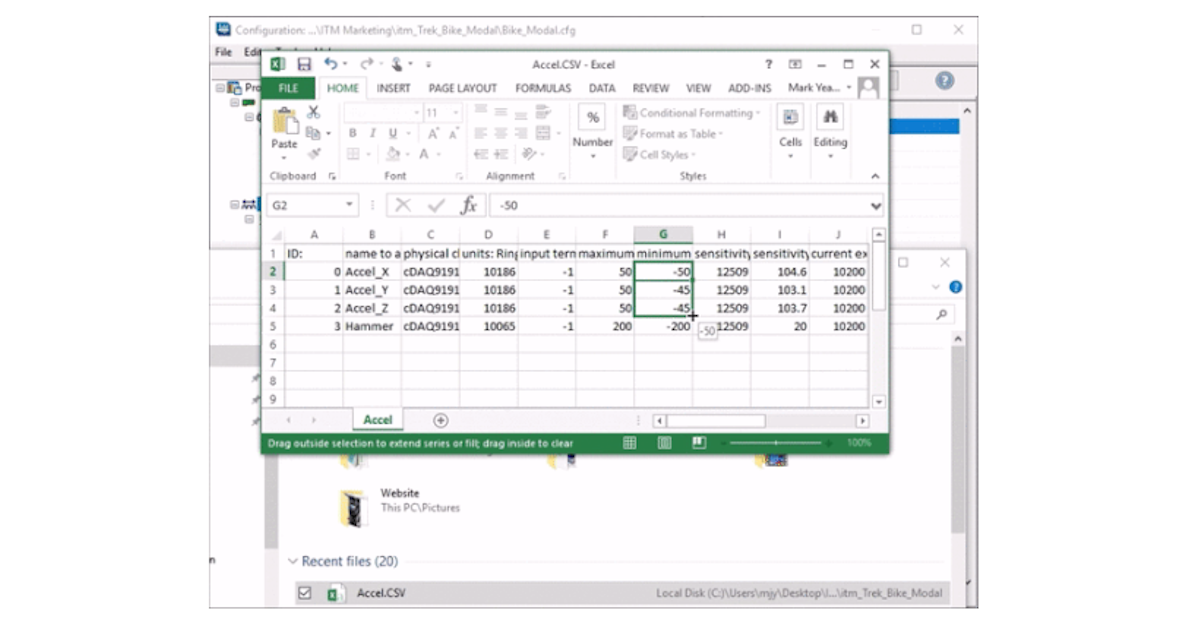
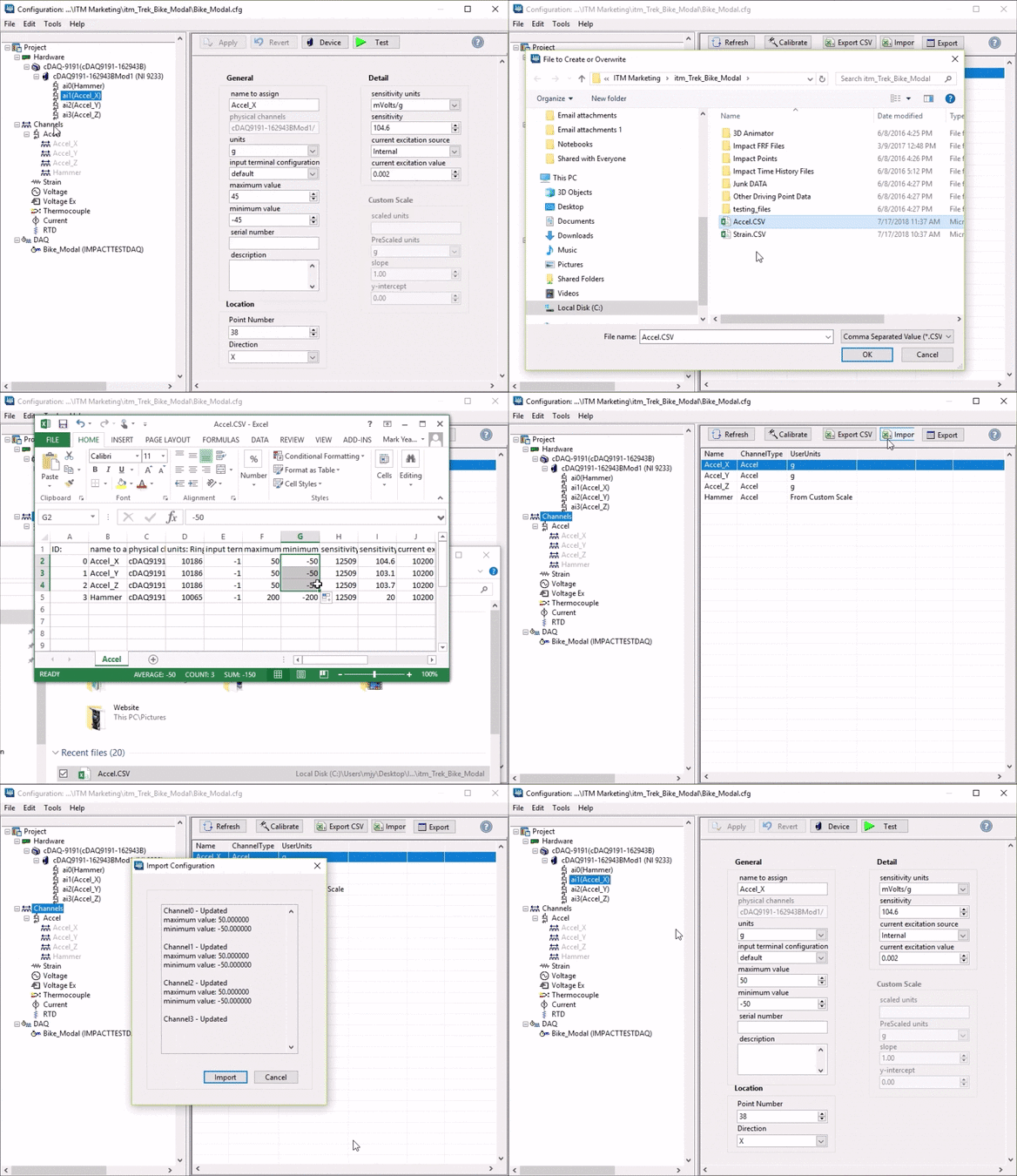
When building large channel count DAQ systems, easy sensor channel editing is key. Edit multiple channels at once by using excel. Highlight the Channels item in the configuration tree. Export the channels to a CSV file. Open the CSV file in Microsoft Excel, then edit and save. Import the edited CSV file to update the configuration file with the channel changes.
For more information about iTestSystem, contact Chase Petzinger @ (844) 837-8797 x704
Building a high channel count DAQ system? Talk to our engineers about fast configuration in iTestSystem.
Related solutions
iTestSystem Software
The measurement software platform behind channel configuration, MultiDAQ, and Automated Analytics. Explore →
Data Acquisition
High channel count DAQ hardware and turnkey logging systems configured by ITM. Explore →
Testing Services
Strain and vibration testing run by ITM engineers, from setup through analysis. Explore →
Recent insights
-
 Aerospace Engineering, Aerospace Testing, Blue Origin, Engineering, ESCAPADE Mission, Launch Vehicle Engineering, New Glenn, Rocket Reliability, Strain Measurement, structural health monitoring, Structural Testing
How Pre-Launch Structural Testing Ensures Mission Success
When Blue Origin’s New Glenn rocket successfully launched NASA’s ESCAPADE mission to Mars, it marked a historic step forward for commercial launch technology — and a testament to the unseen engineering that happens long before a vehicle ever reaches…
-
 6D Testing & Analysis, Accelerometers, data acquisition systems, design validation, Engineering, engineering measurement, experimental modal analysis, impact hammer testing, mechanical engineering, modal testing, structural dynamics, Structural Testing, vibration testing
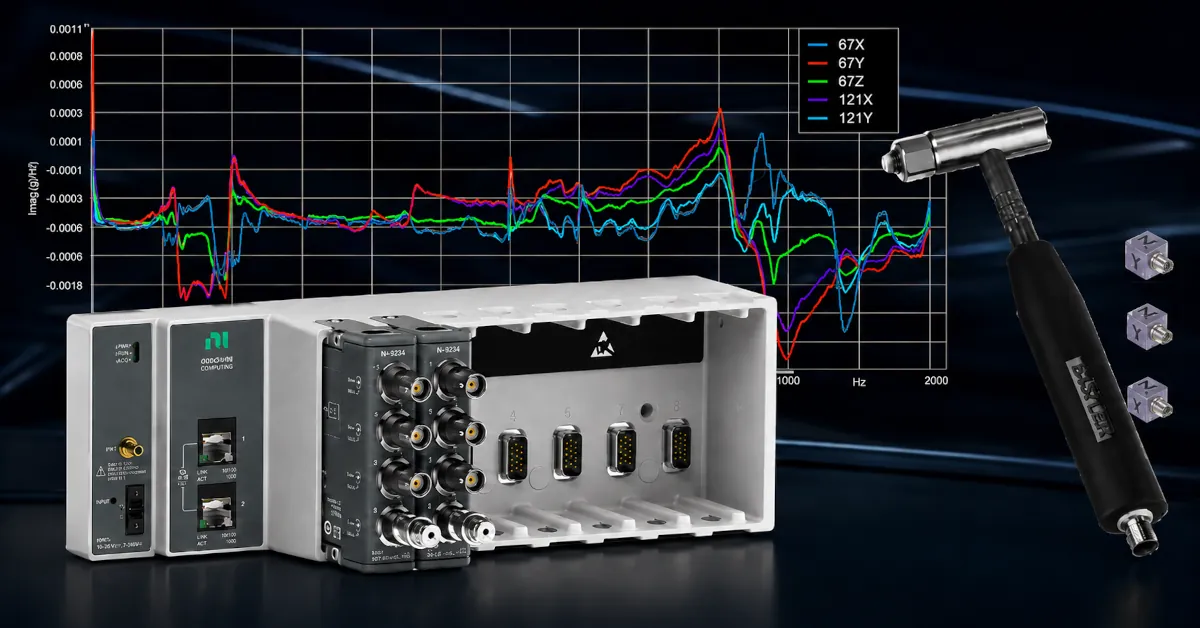
Free Engineering Guide: How to Perform Experimental Modal Analysis for Better Structural Insight
Understanding how structures vibrate—and why—is essential across nearly every engineering discipline. Whether you’re working on rotating machinery, industrial equipment, robotics, medical devices, heavy vehicles, consumer products, or building-scale…
-
 AWS IoT Analytics, cDAQ-9189, Channel Synchronization, CompactDAQ, Condition-Based Maintenance, Edge-to-Cloud High-Channel Datalogging, Engineering, Instrumentation, iTestSystem, iTestSystem Automated Analytics, iTestSystem Notification Service, NI-9236, NI-9469, Strain, Stress, structural health monitoring
High Channel Count Synchronous Datalogging
When a manufacturer needed to validate the structural performance of a 38-ton on-highway vehicle, ITM deployed a 200+ channel synchronous datalogging system capable of capturing accelerometer, strain, GPS, and speed data at nearly 2 kS/s per channel…