
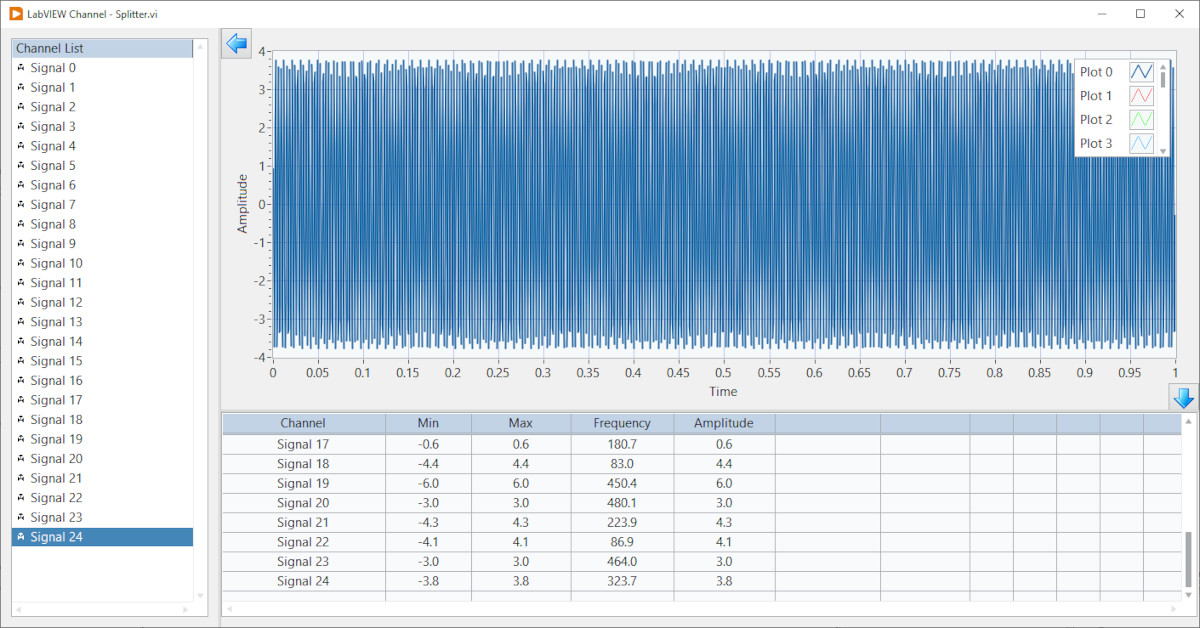
In some of my earlier LabVIEW channel blogs I showed how to use a subpanel to build scalable module user interfaces. This blog describes another front panel layout tool for creating professional scalable user interfaces – the splitter bar. Splitter bars allow the user to resize the adjacent panes while an application runs. NI explains the functionality of configure of splitter bars here.
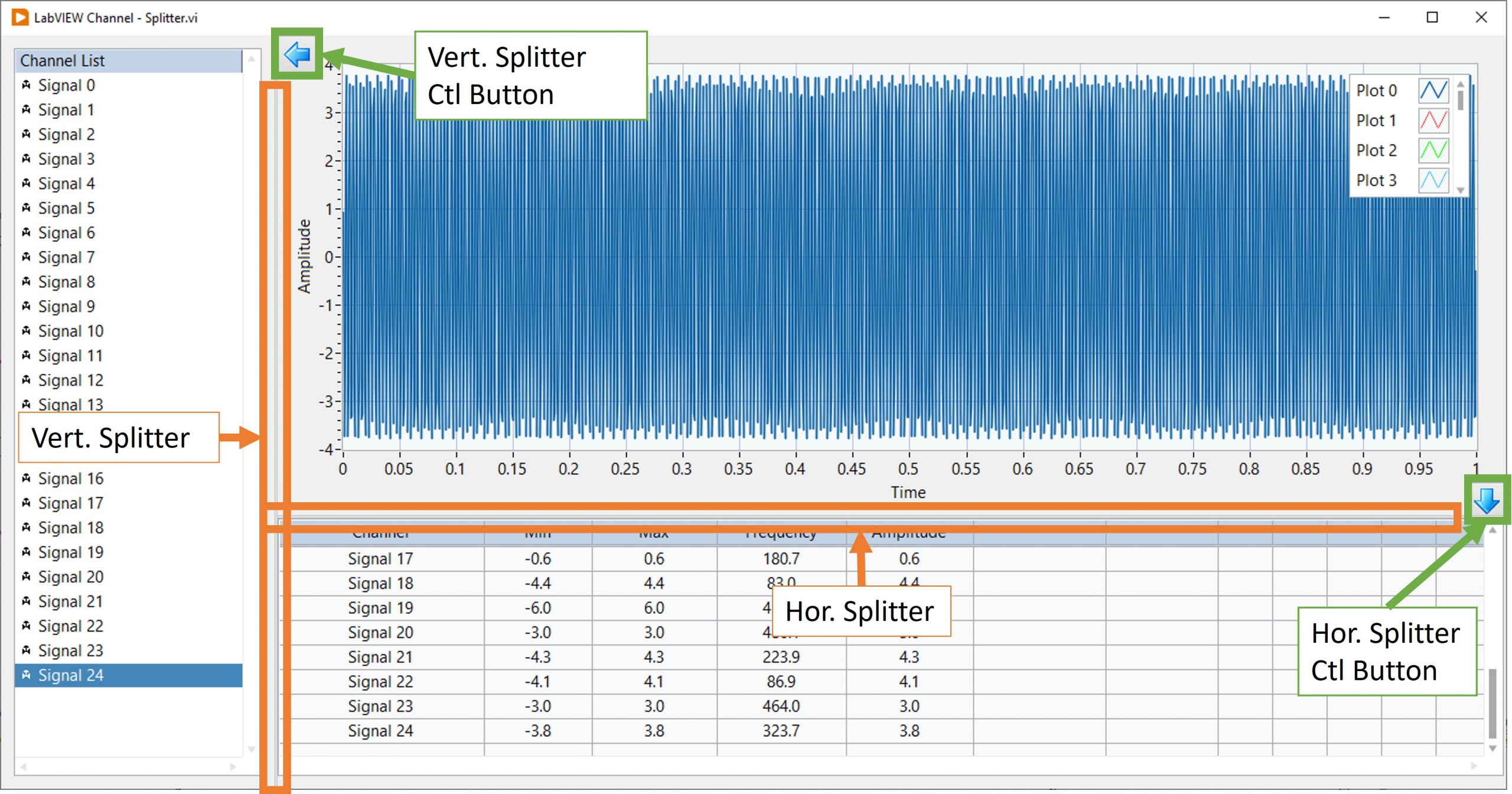
The labVIEW example described below shows how splitters can be moved programmatically to create clean professional user interfaces. This VI contains five (5) controls/indicators and two (2) splitter bars on the front panel. A listbox is used to select which channels are displayed in the graph, while a table displays each channel’s statistics. Each splitter bar’s position is controlled by a radio button containing two buttons (left and right for the vertical splitter and up and down for the horizontal splitter). When a splitter control button is initially pressed, its respective splitter bar snaps to the edge of the window and hiding the listbox or table. When pressed again, the respective splitter moves back to its original position revealing the listbox or table.
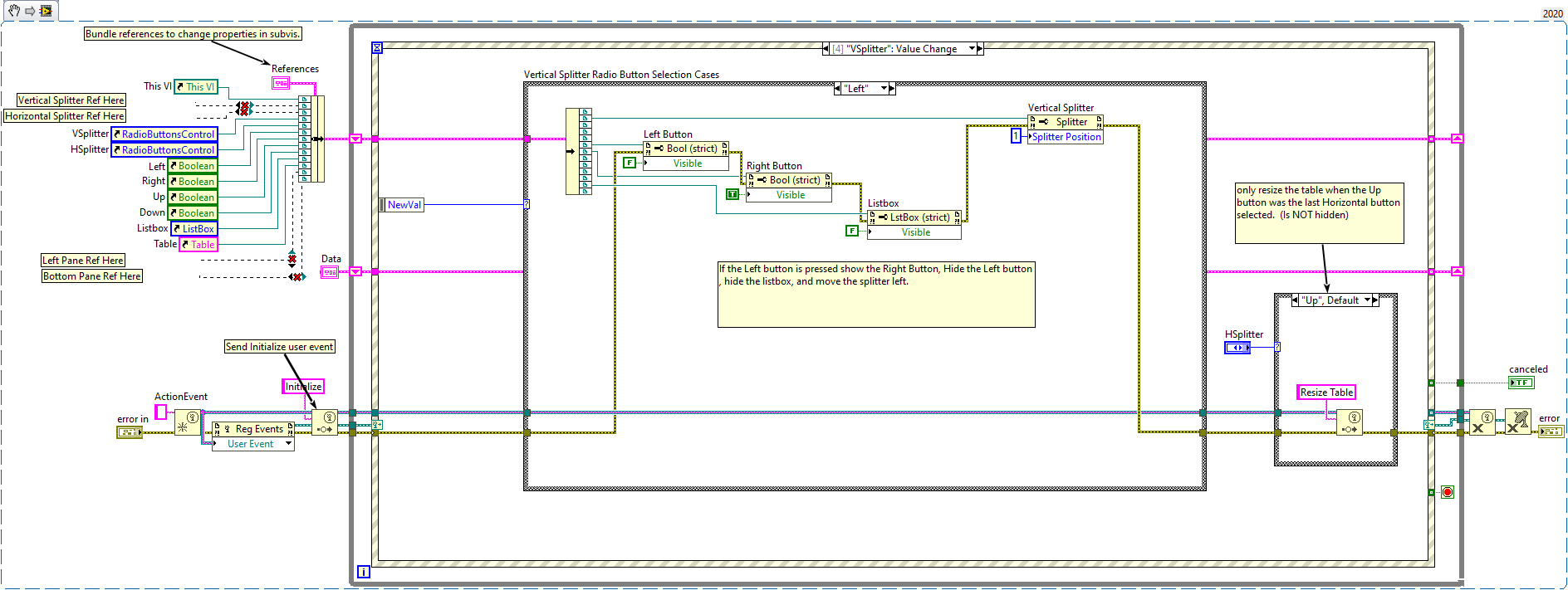
Try the LabVIEW snippet above to see the splitter functionality. When you drop this snippet into a new VI, you will have to add vertical and horizontal splitters to the VI. See figure 1 for a reference for where to place the splitters. Right click on the splitter to get a reference to each splitter, left pane and bottom pane to run the VI. Wire these references into the appropriate bundle function. Set the graph to scale with panel. Do not set the listbox and table to scale with pane.
For more information about this splitter example, or our LabVIEW programming services contact Mark Yeager @ (844) 837-8797 x7041. You can also email me at mark.yeager@itestsystem.com if you would like me to send you the example vi or download it here.
Building a LabVIEW interface of your own? Talk to the engineers who build them every day.
Related solutions
Software Development
Custom LabVIEW and iTestSystem programming services, from front-panel UI to acquisition and analysis. Explore →
Rugged Systems
Purpose-built data acquisition hardware and software integration for demanding test environments. Explore →
Engineering Consulting
Hands-on engineering support for measurement, automation, and software challenges. Explore →
Recent insights
-
 Aerospace Engineering, Aerospace Testing, Blue Origin, Engineering, ESCAPADE Mission, Launch Vehicle Engineering, New Glenn, Rocket Reliability, Strain Measurement, structural health monitoring, Structural Testing
How Pre-Launch Structural Testing Ensures Mission Success
When Blue Origin’s New Glenn rocket successfully launched NASA’s ESCAPADE mission to Mars, it marked a historic step forward for commercial launch technology — and a testament to the unseen engineering that happens long before a vehicle ever reaches…
-
 6D Testing & Analysis, Accelerometers, data acquisition systems, design validation, Engineering, engineering measurement, experimental modal analysis, impact hammer testing, mechanical engineering, modal testing, structural dynamics, Structural Testing, vibration testing
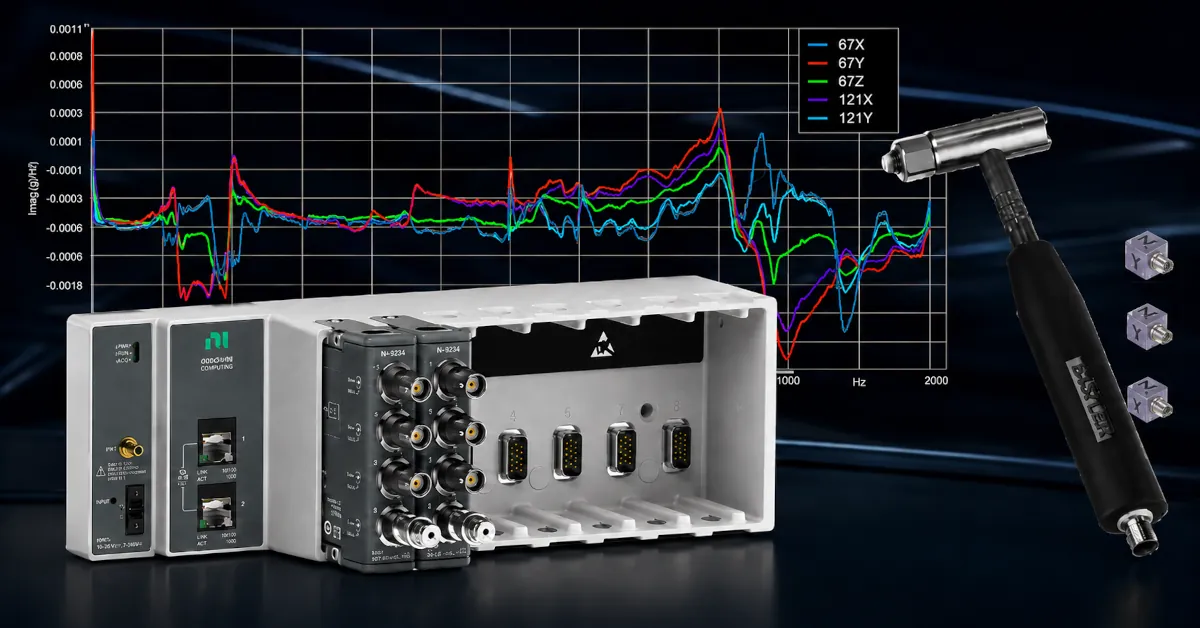
Free Engineering Guide: How to Perform Experimental Modal Analysis for Better Structural Insight
Understanding how structures vibrate—and why—is essential across nearly every engineering discipline. Whether you’re working on rotating machinery, industrial equipment, robotics, medical devices, heavy vehicles, consumer products, or building-scale…
-
 AWS IoT Analytics, cDAQ-9189, Channel Synchronization, CompactDAQ, Condition-Based Maintenance, Edge-to-Cloud High-Channel Datalogging, Engineering, Instrumentation, iTestSystem, iTestSystem Automated Analytics, iTestSystem Notification Service, NI-9236, NI-9469, Strain, Stress, structural health monitoring
High Channel Count Synchronous Datalogging
When a manufacturer needed to validate the structural performance of a 38-ton on-highway vehicle, ITM deployed a 200+ channel synchronous datalogging system capable of capturing accelerometer, strain, GPS, and speed data at nearly 2 kS/s per channel…