Tag Archive for: iTestSystem

Archiving CompactRIO Process Data to PI

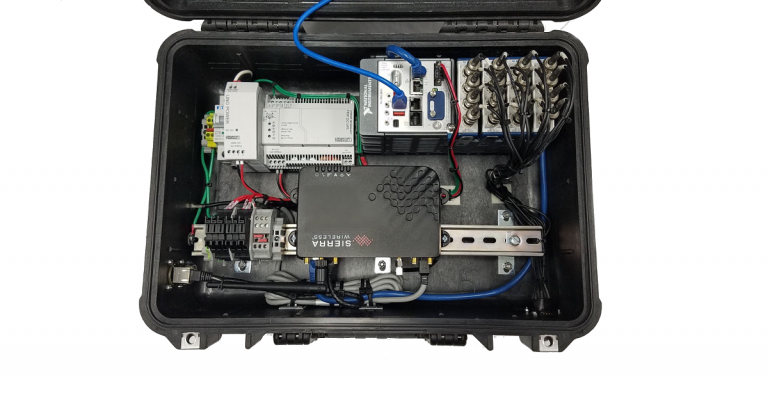
The tool we most commonly use for real-time embedded process monitoring and control applications is the NI CompactRIO.  These controllers allow us to embed algorithms that acquire and analyze high speed process sensor data and then output derived key performance indicators (KPIs) to other control systems.  Most of the time, our customers also require us  to send the KPIs to a real-time data infrastructure like OSIsoft’s PI System so plant managers and engineers can use the data to find energy savings, monitor asset health, or optimize processes.

For our latest CompactRIO systems we have developed APIs that allow us to send or receive data directly to/from PI.  We utilize the PI Asset Framework and the UFL Connector to automatically generate PI tags from the device and update the process tag values either on value change or on a time basis.

These tools greatly simplify our CompactRIO to PI System communication process by eliminating intermediary data servers and automatically generating PI tags based on a CompactRIO system’s configuration.  If you are interested in using these APIs for PI or developing a CompactRIO system contact Mark Yeager or Chase Petzinger.

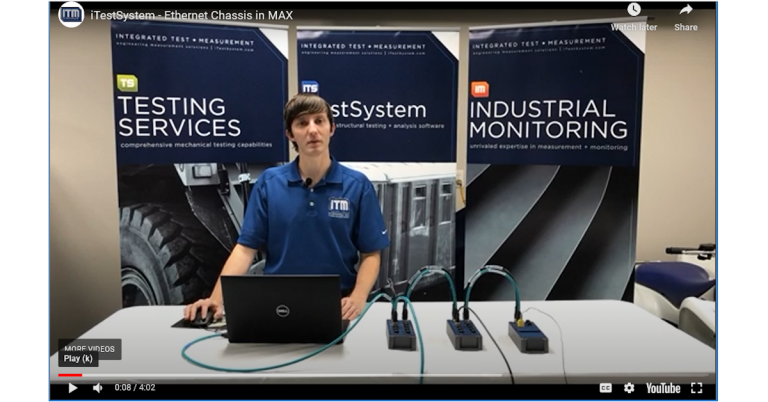
ITM Live Demo Series: Configuring Ethernet Chassis in NI Max

The latest video in the ITM Live Demo series shows users how to configure an Ethernet/Network cDAQ or FieldDAQ chassis with NI Measurement & Automation Explorer (NI Max).

One of the most common questions we get from iTestSystem users; How do I configure my network/ethernet cDAQ or FieldDAQ chassis?  In this video, Chase Petzinger demonstrates how to change a cDAQ’s network settings.

If you’re interested in learning more about iTestSystem and networked cDAQ chassis measurements, feel free to contact one of our test specialists by e-mail at info@itestsystem.com or phone at (844) 837-8797.

ITM adds NI-9242 compatibility to iTestSystem


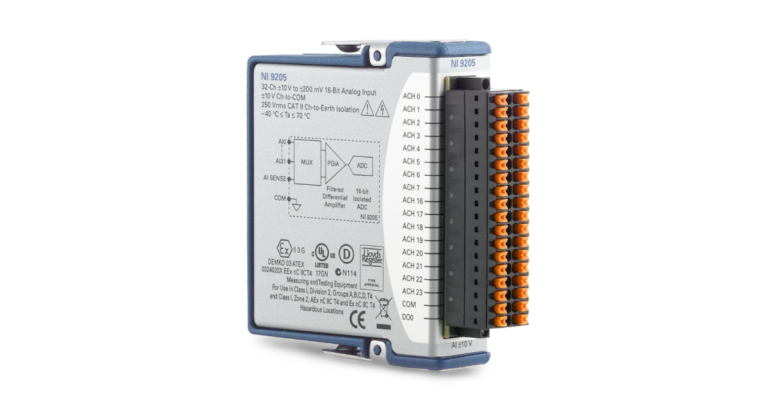
The NI-9242 single ended voltage input module can now be used with the latest version of iTestSystem (16.1). The NI-9242 C-Series module features three (3) voltage inputs plus one (1) neutral input, 24-bit resolution, 250V rms L-N, 400V rms L-L, and 50 kS/s/ch. The measurement range (250V rms L-N or 400V rms L-L) makes it ideal for embedded 120V rms and 240V rms grid measurement applications such as phasor measurements, power metering, power quality monitoring, industrial machinery, motor testing, and transient or harmonic analysis with high-speed (50kHz) simultaneous sampling.

Click Here for more information about iTestSystem.

For advice about using the NI-9242 in stand-alone power quality applications or cRIO power monitoring applications contact Mark Yeager.

ITM adds NI-9246 compatibility to iTestSystem


In the latest release of iTestSystem (v 16.1), we are adding the NI-9246 current input module to the compatibility list. The NI-9246 features 3, 22 Arms continuous current inputs, 24-bit resolution, and 50 kS/s/ch in the C Series form factor. The measurement range (22 Arms ) makes it ideal for three phase current measurements from 1A and 5A current transformers. These types of measurements are used in embedded industrial, power generation applications like power quality monitoring and machine condition monitoring.

iTestSystem Info

For advice about using the NI-9246 in stand-alone power quality applications or cRIO power monitoring applications contact Mark Yeager

ITM Live Demo Series: Sound Level Measurements with iTestSystem

The latest video in the ITM Live Demo series shows the new sound level measurement capability of iTestSystem.

In recent months, our customers have asked us to integrate sound level measurements into iTestSystem.  With this new feature, iTestSystem can help you monitor construction site noise or measure whether your equipment meets ISO noise emission standards or pass by noise regulations. In this video, Ryan Matthews demonstrates the new dataview for iTestSystem to measure a fan’s sound level.

If you’re interested in learning more about iTestSystem and Sound Level Measurements, feel free to contact one of our test specialists by e-mail at info@itestsystem.com or phone at (844) 837-8797.

iTestSystem: New Release v16.1

We are excited to announce that a new version (16.1) of iTestSystem is available for download. This latest release provides engineers with a flexible sensor data collection and analysis platform ideal for long term endurance testing, vibration analysis, off -highway vehicle condition monitoring, sound level, and structural design validation.

We have added and updated the following tools:

  • New Microphone Sensor Type and Dataview for Sound Level Measurements
  • Expanded Data Acquisition Hardware Support including the rugged NI FieldDAQ Device
  • New Automated Data Analysis Tools including sensor statistics, scaling, and sound level
  • Updated File Filtering and Improve Data Interaction
  • Updated Impact Test DAQ with 3D Animator Integration

Download the new version today!

For more information about the new version of iTestSystem or to request a demo contact Chase.Petzinger@iTestSystem.com.


ITM Live Demo Series: iTestSystem with NI FieldDAQ

As a part the ITM Live Demo series, we’re excited to release this video featuring iTestSystem and National Instruments FieldDAQ™ hardware to assist with your data collection projects.

At ITM, we’re always on the lookout for tools that will help us take tough measurements.  When we heard that NI was introducing a new device that features IP65/67-rated ingress protection, we were very excited.  In many industrial or off-way environments, there is potential for fluids to splash or leak onto exposed hardware.  Could the NI FieldDAQ™ be a solution for these types of environments?

Watch now as I demonstrate how to use an NI FieldDAQ™ Strain Device with iTestSystem for data logging and answer the question; Will it work while submerged in water?

If you’re interested in learning more about iTestSystem or FieldDAQ™, feel free to contact one of our test specialists by e-mail at info@itestsystem.com or phone at (844) 837-8797.

iTestSystem Tip: Start and Stop Tests with MultiDAQ Trigger


When deploying a DAQ system for unattended testing, use the MultiDAQ trigger function in iTestSystem to automate data collection.  Data collection starts when the start trigger condition is met.  Data collection stops when the stop trigger condition is met.
Follow the steps below to enable and configure triggering.
  1. Enable auto save
  2. Enable triggering
  3. Build a start trigger statement
  4. Build a stop trigger statement
  5. Start configured MultiDAQ
  6. Let MultiDAQ simplify your data logging..

Feeding the Next Generation of Product Development – Machine Design

Well Frac Trailer

Check out the article “Feeding the Next Generation of Product Development” in Machine Design magazine.  In this article, ITM president Tim Carlier describes how engineers are collecting real-world data to get a true look at how their designs are used in the field, and how to design a better machine.  By utilizing iTestSystem and its automation tools, test engineers can implement unattended field tests that continuously analyze and send data based on specific operating conditions.  Armed with data from these tests, designers can better quantify and predict future performance and develop products that satisfy the complete range of actual customer usage.

For more information about this article, iTestSystem or our Testing Services, contact Ryan Welker @ (844) 837-8797 x702

iTestSystem Tips: Modify Multiple Channels with Excel


When building large channel count DAQ systems, easy sensor channel editing is key.  Edit multiple channels at once by using excel. Highlight the Channels item in the configuration tree. Export the channels to a CSV file. Open the CSV file in Microsoft Excel, then edit and save. Import the edited CSV file to update the configuration file with the channel changes.
For more information about iTestSystem, contact Chase Petzinger @ (844) 837-8797 x704