
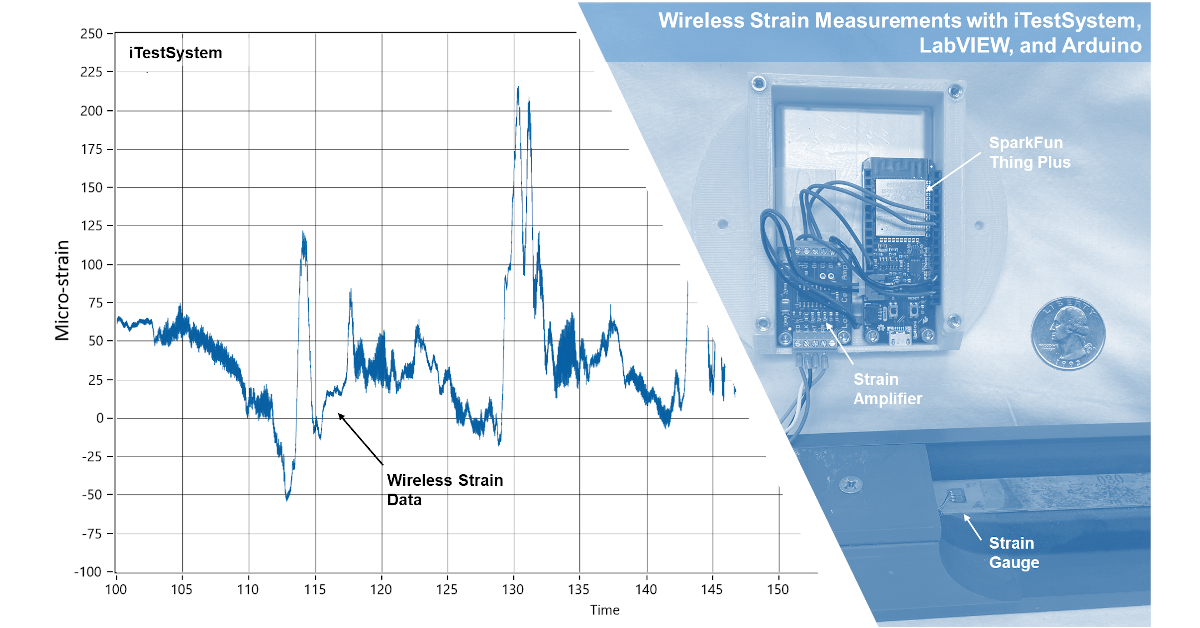
On a recent project, one of our engineers needed to measure structural strain at several locations on mobile lifting equipment while in operation. Since the strain measurements were distributed and mobile, a wireless internet of things (IOT) solution was required. This blog describes the steps and tools we used to integrate our solution into iTestSystem and LabVIEW™.
What we offer
Are you looking for expert assistance with strain gauging, a wireless IOT solution or free custom engineering software platform that enables you to organize, acquire, view, and analyze data?
One of the wireless devices that we evaluated to monitor strain was a SparkFun Thing Plus (ESP32 WROOM) with a Load Cell Amplifier (HX711). The SparkFun Thing Plus uses the Espressif ESP32 Wi-Fi and Bluetooth MCU. It accepts a variety of digital interfaces including high-speed SPI, UART, I2S, and I2C. The HX711 load cell amplifier accepts four-wire Wheatstone bridges and outputs 24-bit data at either 10 Hz or 80 Hz. The digital signal from the HX711 was connected to a GPIO pin and clock pin on the SparkFun Thing Plus. We used a Lithium Ion 2Ah battery to power both devices.
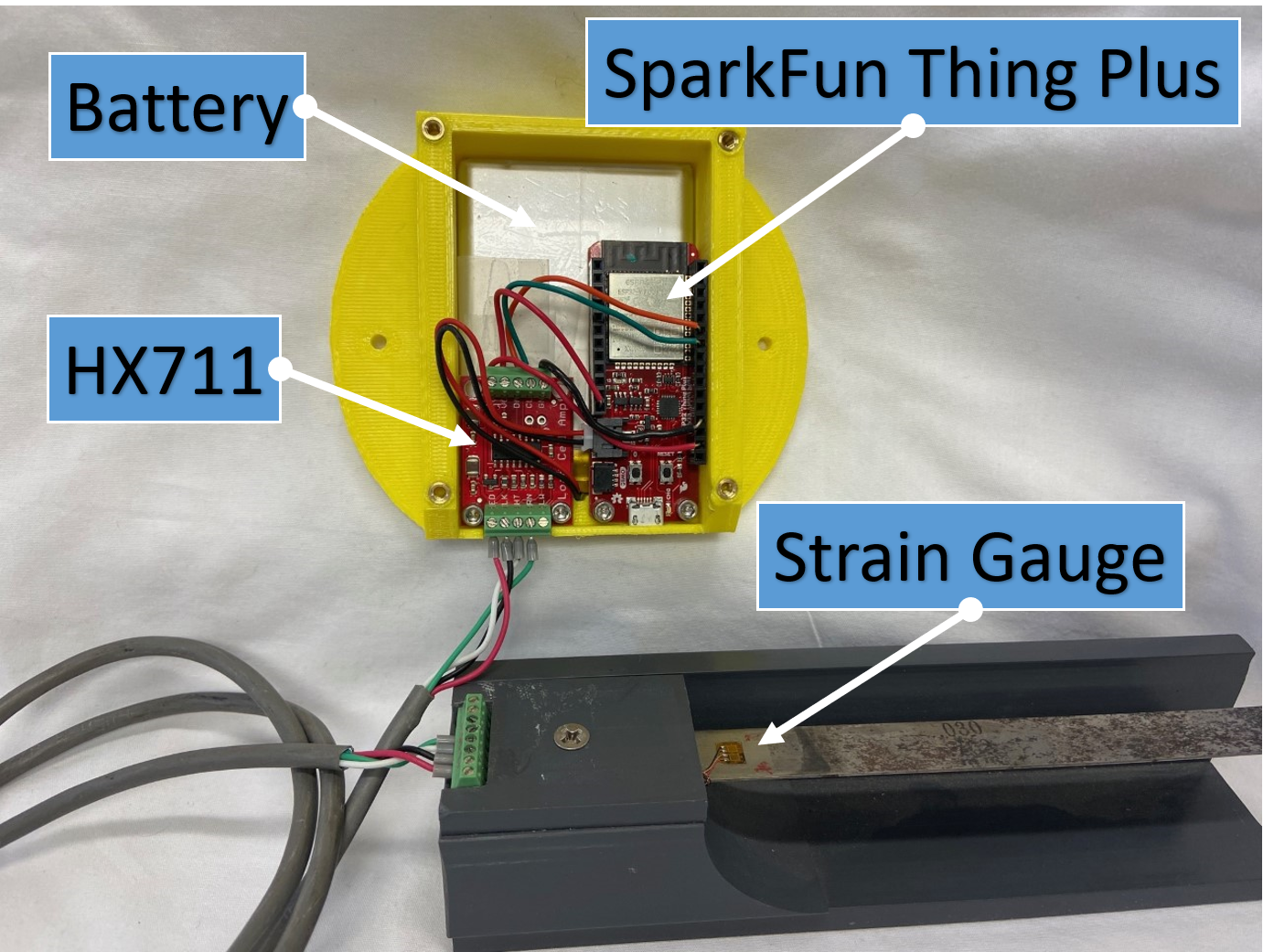
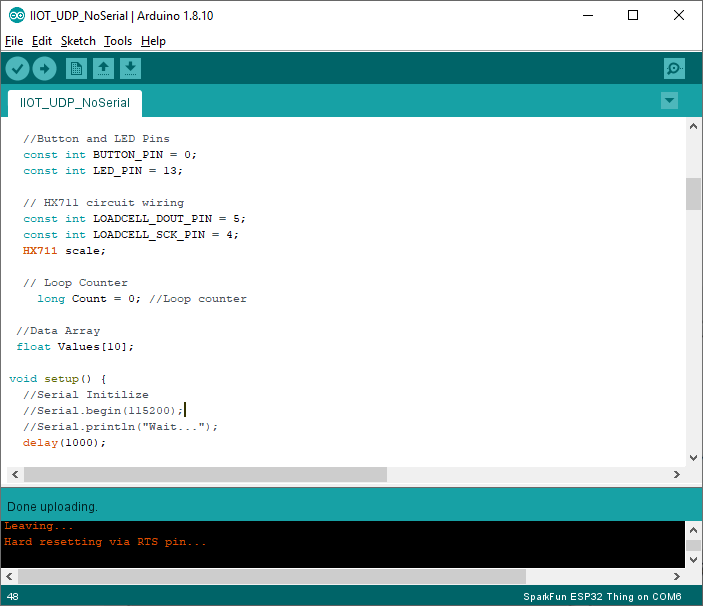
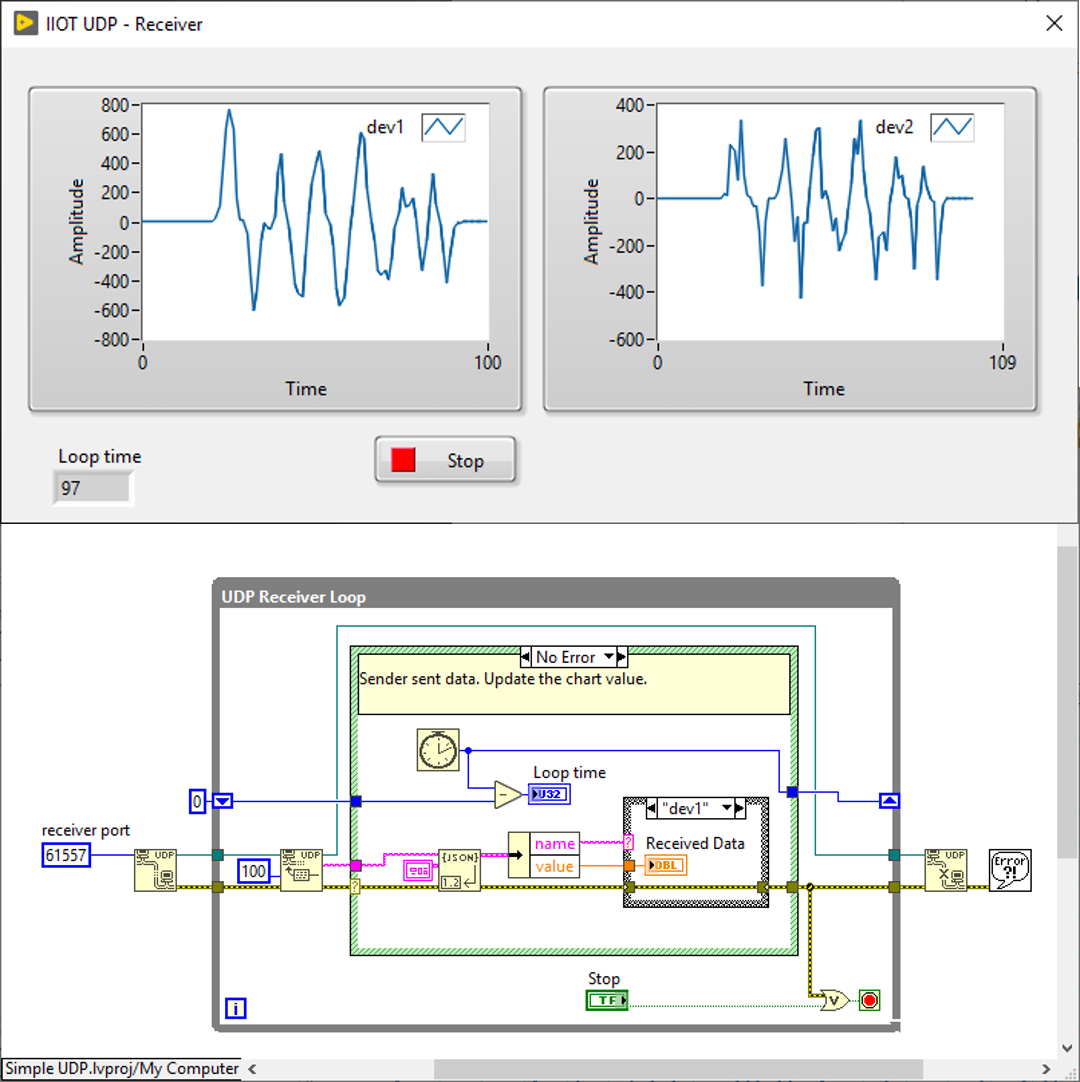
After making the connections and installing the device in a 3D printed case for mobility testing, our development engineer programmed this device using the Arduino IDE. Our wireless strain prototype was programmed to auto connect to a Wi-Fi network and output device ID, tag names, and data values via UDP or Webservice. We chose UDP because we only needed the latest strain/load values. Bundling the device ID with the strain data would allow iTestSystem to collect data from multiple devices. To test the wireless strain prototype and develop the UDP interface for iTestSystem, we modified the Simple UDP LabVIEW example vi.
Next, we integrated the wireless strain prototype into iTestSystem by adding a new communication class into the existing iTestSystem IOT Communication utility. This new class allowed the utility to read the specific UDP data type associated with our prototype and output data to a shared variable. Shared variables can be logged to disk and analyzed with iTestSystem alongside other machine data.
For more information about this application, iTestSystem, or our strain gauging services, contact Mark Yeager via email at mark.yeager@iTestSystem.com or phone @ 1.844.837.8797 x701.
Have a distributed or wireless measurement challenge? Talk to the engineers behind this solution.
Related solutions
Wireless Sensor Networks
Distributed wireless measurement systems for structures and machinery where cables can’t go. Explore →
Strain Gauge Services
Expert strain gauge installation and measurement services in the lab and in the field. Explore →
iTestSystem Software
The acquisition, analysis, and IOT-communication platform this wireless prototype plugs into. Explore →
Recent insights
-
 Aerospace Engineering, Aerospace Testing, Blue Origin, Engineering, ESCAPADE Mission, Launch Vehicle Engineering, New Glenn, Rocket Reliability, Strain Measurement, structural health monitoring, Structural Testing
How Pre-Launch Structural Testing Ensures Mission Success
When Blue Origin’s New Glenn rocket successfully launched NASA’s ESCAPADE mission to Mars, it marked a historic step forward for commercial launch technology — and a testament to the unseen engineering that happens long before a vehicle ever reaches…
-
 6D Testing & Analysis, Accelerometers, data acquisition systems, design validation, Engineering, engineering measurement, experimental modal analysis, impact hammer testing, mechanical engineering, modal testing, structural dynamics, Structural Testing, vibration testing
Free Engineering Guide: How to Perform Experimental Modal Analysis for Better Structural Insight
Understanding how structures vibrate—and why—is essential across nearly every engineering discipline. Whether you’re working on rotating machinery, industrial equipment, robotics, medical devices, heavy vehicles, consumer products, or building-scale…
-
 AWS IoT Analytics, cDAQ-9189, Channel Synchronization, CompactDAQ, Condition-Based Maintenance, Edge-to-Cloud High-Channel Datalogging, Engineering, Instrumentation, iTestSystem, iTestSystem Automated Analytics, iTestSystem Notification Service, NI-9236, NI-9469, Strain, Stress, structural health monitoring
High Channel Count Synchronous Datalogging
When a manufacturer needed to validate the structural performance of a 38-ton on-highway vehicle, ITM deployed a 200+ channel synchronous datalogging system capable of capturing accelerometer, strain, GPS, and speed data at nearly 2 kS/s per channel…